A Mac can already handle movies, music, streaming services and almost every form of digital entertainment.
So why should IPTV still feel like a separate, outdated experience?
For many users, watching IPTV on a computer still means opening a playlist, searching through an enormous channel list and manually keeping track of movies, shows and favorite channels.

IPTVIQ is designed to change that experience.
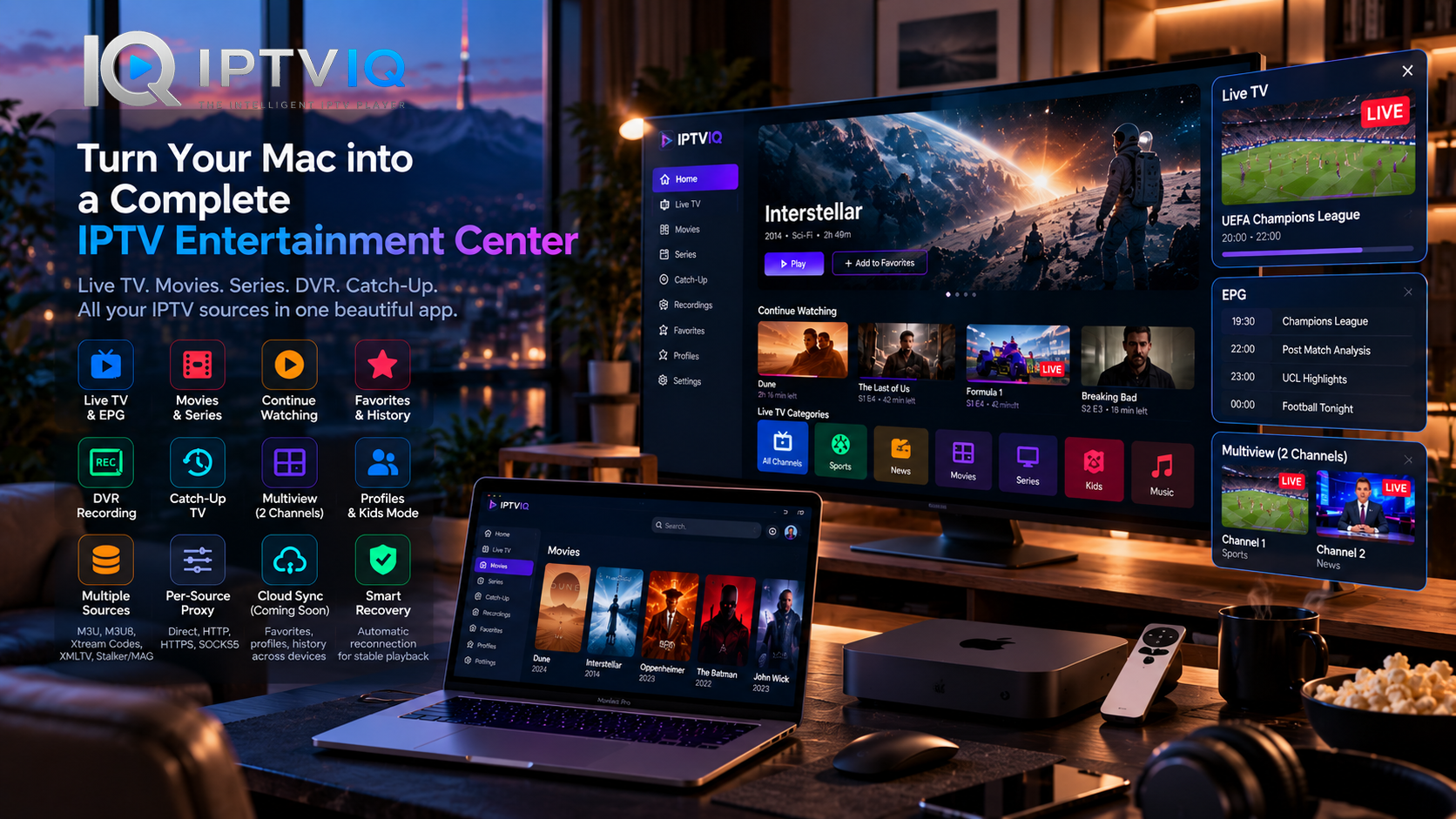
Rather than functioning as another basic IPTV playlist player, IPTVIQ brings Live TV, movies, series, program guides, DVR recording, Catch-Up TV, profiles, Favorites and Multiview together inside a modern IPTV environment for macOS.
The idea is simple:
Your Mac can become a complete IPTV entertainment center.
What Exactly Is IPTVIQ?
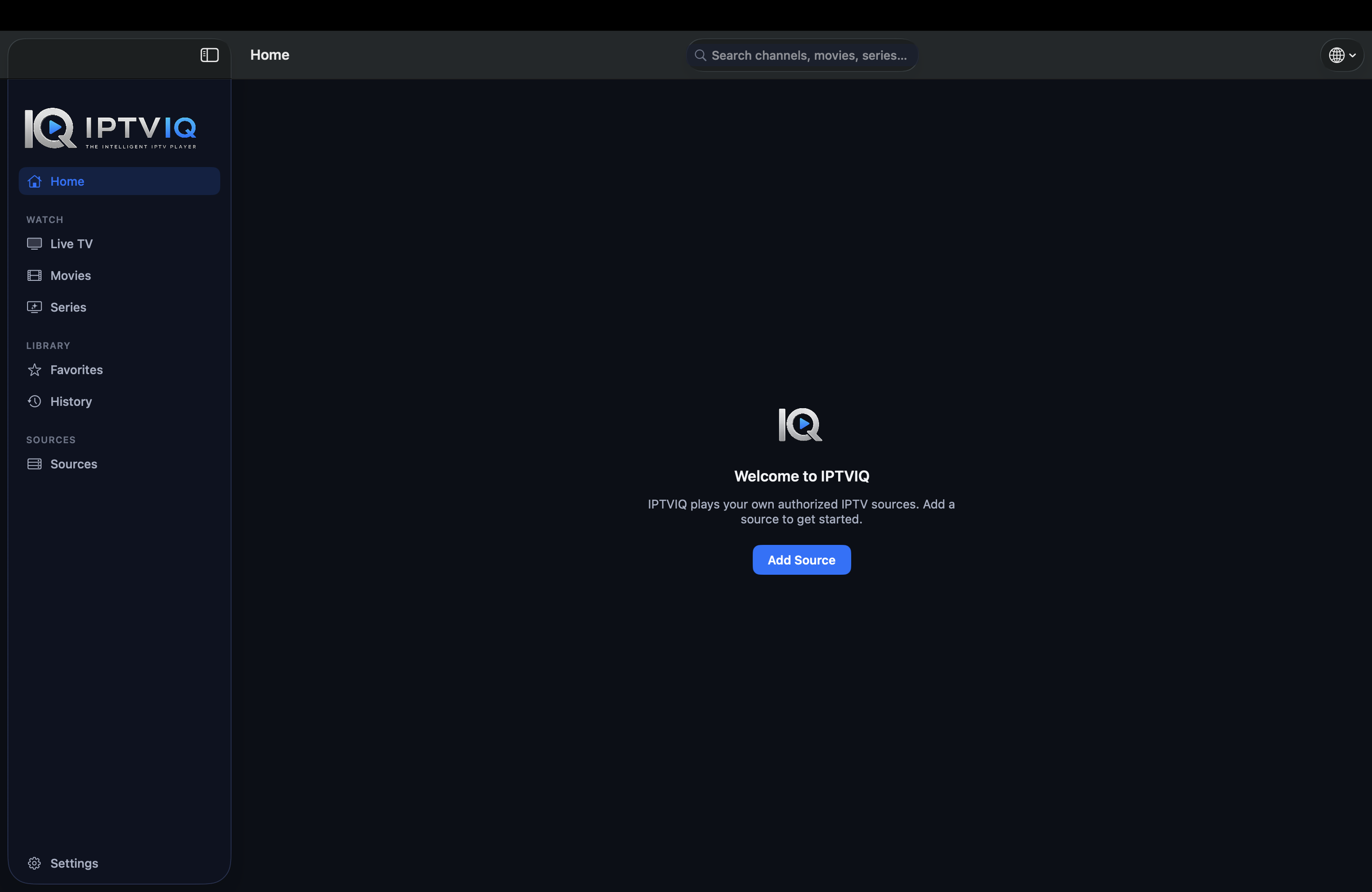
IPTVIQ is an IPTV player designed for macOS.
Users connect their own compatible IPTV sources, and IPTVIQ provides the interface for organizing, browsing and playing the available content.
The application itself is not an IPTV provider.
It does not sell IPTV subscriptions, provide television channels or maintain its own movie and series catalog.
Instead, IPTVIQ sits between the viewer and the compatible IPTV sources they are authorized to use.
That allows the application to focus entirely on the viewing experience.
From IPTV Playlist to Entertainment Library
There is a major difference between having access to content and being able to navigate it comfortably.
An IPTV source may contain thousands of channels.
It may also include movies, television series, Catch-Up programming and EPG information.
A basic IPTV player can technically display all of this.
But technical access does not automatically create a good user experience.
IPTVIQ attempts to transform that raw IPTV data into an organized entertainment library.
Live TV becomes Live TV.
Movies become a movie library.
Series become episodic content.
Favorites become personal shortcuts.
Viewing progress becomes Continue Watching.
The underlying IPTV source remains the same, but the way users interact with it changes significantly.
Connect the IPTV Sources You Already Use
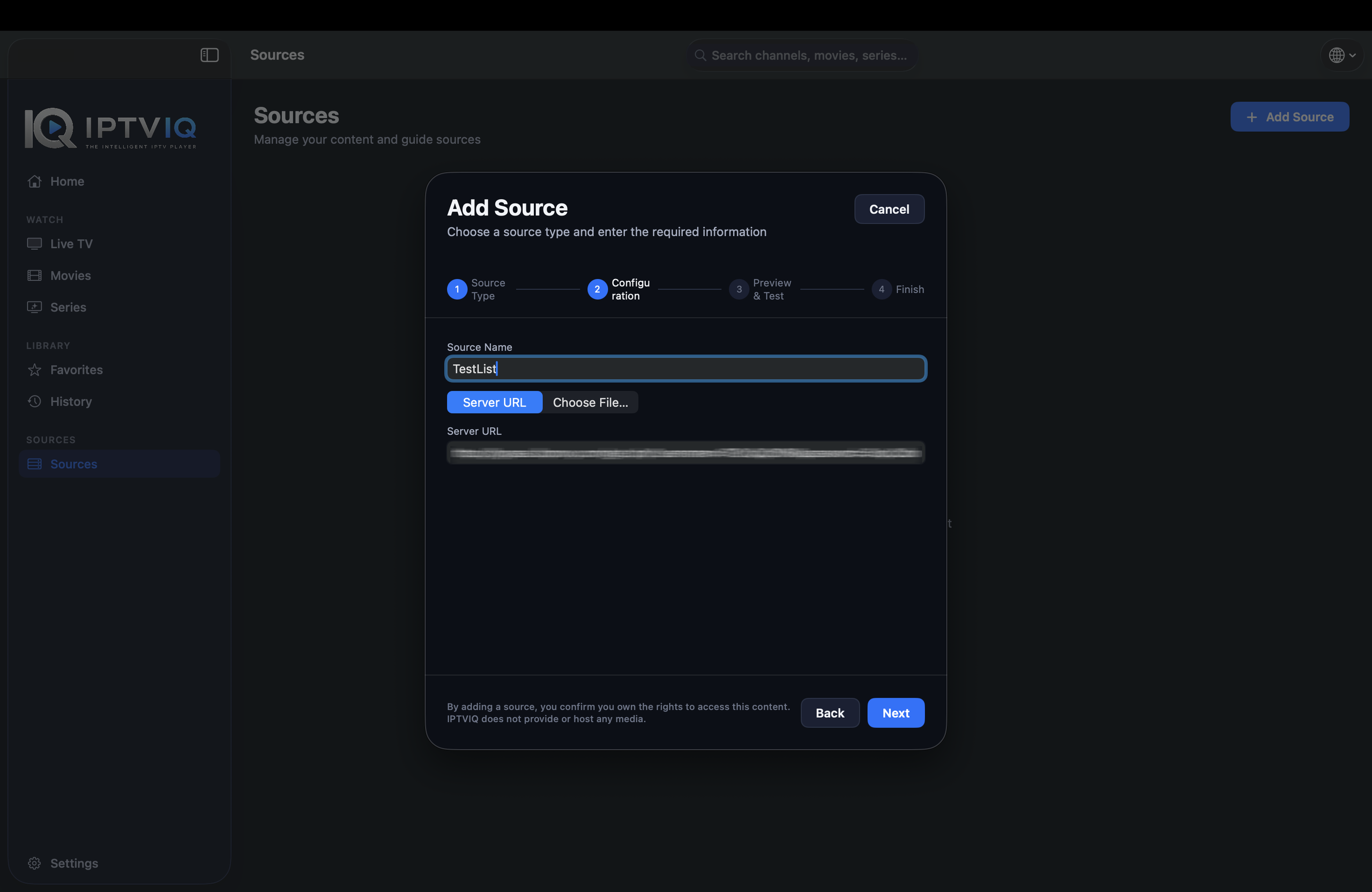
IPTV environments can use several different technologies.
IPTVIQ supports a range of commonly used source types, including:
- Xtream Codes
- M3U
- M3U8
- XMLTV
- Stalker
- MAG
- Ministra
Users can also configure multiple compatible sources.
That means a Mac does not necessarily need a separate player for every IPTV source.
Instead, multiple sources can become part of the same viewing environment.
For users managing complex IPTV setups, this can make everyday navigation substantially easier.
Make Live TV Feel Like Live TV Again
Live television has always been about immediacy.
Turn on the television.
Find a channel.
See what is playing.
Watch.
An IPTV player should preserve that simplicity even when the underlying source contains thousands of channels.
IPTVIQ organizes Live TV into categories and provides navigation designed specifically around channel-based viewing.
Instead of treating a channel as another file inside a playlist, the application presents Live TV as its own entertainment experience.
EPG Makes Channel Surfing Smarter
Electronic Program Guide integration adds another important layer.
When compatible EPG information is available, users can see information about current and upcoming programming.
That means fewer situations where viewers need to open a channel just to discover what is playing.
A Mini-EPG can also provide useful information without forcing users away from the current viewing experience.
EPG quality ultimately depends on the guide information available from the connected IPTV source, but when good data is present, it can dramatically improve Live TV navigation.
Your Movies Deserve a Movie Library
Movies should not be buried between television channels.
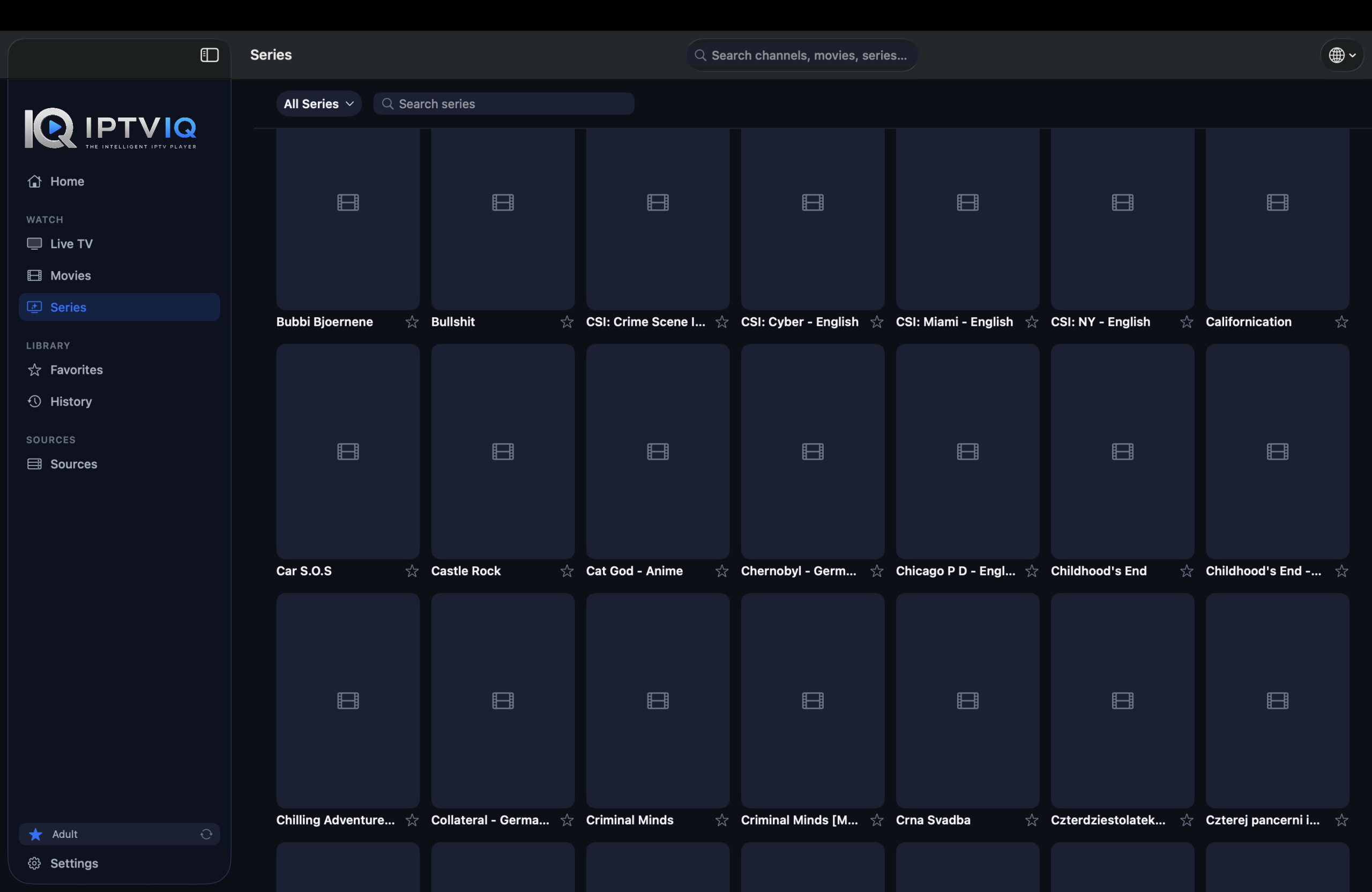
IPTVIQ separates supported VOD content into dedicated areas.
This allows movies to be browsed as an entertainment catalog rather than another collection of playlist entries.
The same applies to television series.
Episodes and shows can be presented in a way that makes sense for episodic viewing.
This separation between Live TV, Movies and Series is fundamental to making IPTV feel like a modern entertainment platform.
Continue Watching from Where You Stopped
Suppose you begin watching a movie in the evening.
After 42 minutes, you decide to stop.
A few days later, you return.
The application can maintain the playback position for supported content so that you do not need to manually search for the same timestamp.
Instead:
Movie → Continue Watching → 42 minutes
It is a feature mainstream streaming users already expect.
Bringing the same behavior into IPTV makes VOD libraries significantly easier to use.
Create Your Personal Channel Collection
Thousands of channels sound impressive.
But nobody regularly watches all of them.
Favorites allow users to build a smaller personal collection from the much larger IPTV library.
Sports channels can stay together.
News channels can remain easily accessible.
Entertainment channels do not need to disappear among hundreds of unrelated entries.
This simple layer of personalization can dramatically reduce the amount of navigation required during everyday use.
Profiles Turn One Mac into Multiple IPTV Experiences
A household entertainment system is rarely used by only one person.
Different viewers have different Favorites.
They watch different movies.
Their history is different.
Their preferences are different.
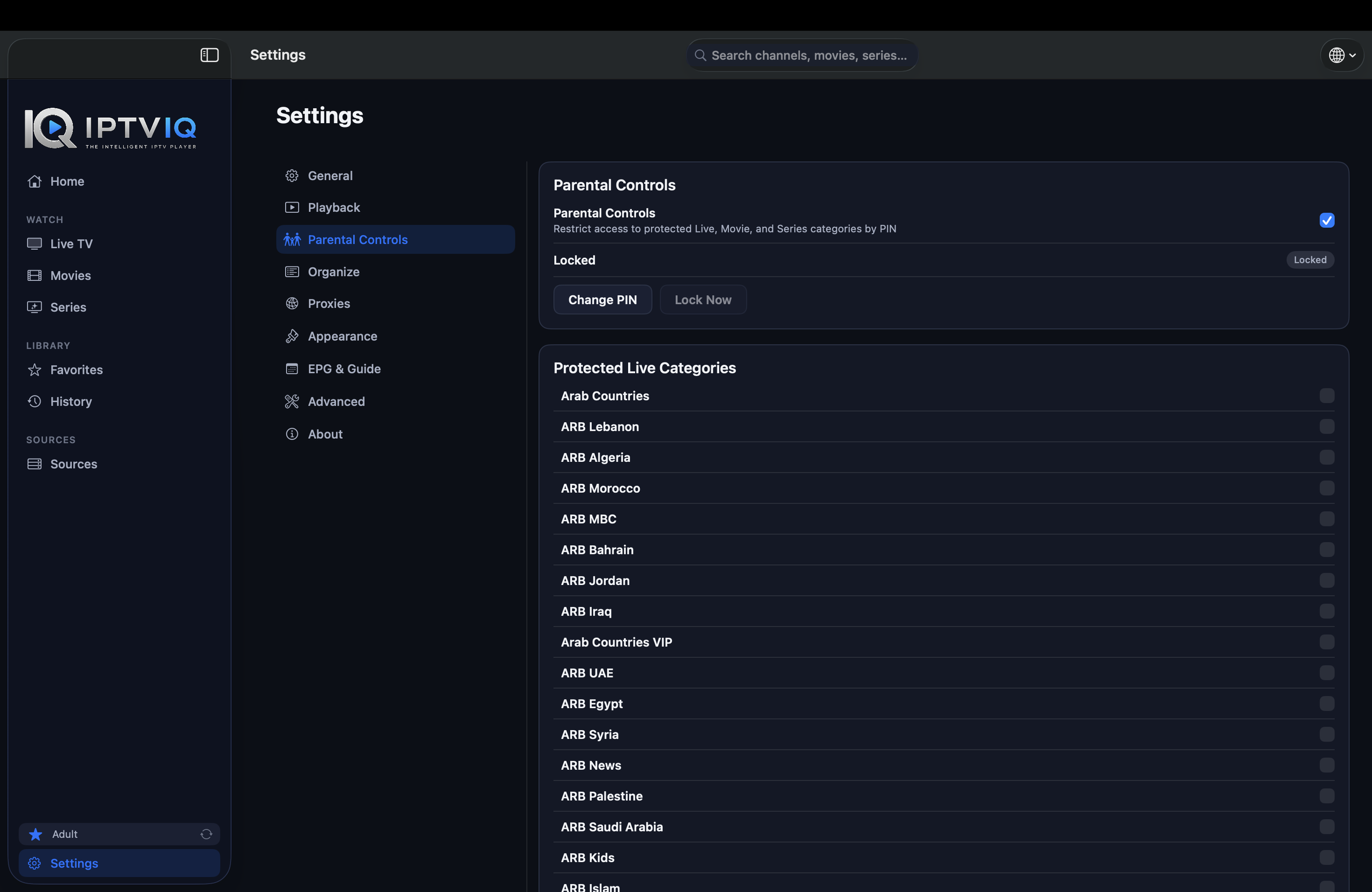
IPTVIQ supports profiles so those experiences can remain separated.
Instead of treating everyone as one viewer, the application can provide individual viewing environments within the same IPTV setup.
Kids Profiles Add Another Layer of Control
Children present a different challenge.
An IPTV source may contain a large catalog, but parents may want only a portion of that catalog available to a child.
Kids Profiles can provide a restricted environment built around approved and blocked content.
Rather than changing the underlying IPTV source, the player controls what that profile can access.
This provides a cleaner solution for households where adults and children share the same IPTV environment.
Turn Live TV into On-Demand TV with DVR
One of the biggest limitations of traditional Live TV is timing.
If you are not available when something airs, you may miss it.
DVR recording changes that relationship.
IPTVIQ can record supported Live TV streams and save them locally.
Users can then return to those recordings later.
Local storage is particularly appropriate for DVR because video files can become very large.
The recording remains under the user’s control rather than automatically becoming part of a cloud system.
Catch-Up Can Bring Past Broadcasts Back
Recording is useful when users know in advance that they want to save something.
Catch-Up solves a different problem.
Some IPTV providers maintain recent broadcast archives.
When the connected source supports Catch-Up, IPTVIQ can provide access to that content.
A viewer who missed a program may therefore still be able to watch it later.
However, Catch-Up availability depends entirely on the IPTV provider.
IPTVIQ does not independently create an archive of content unavailable from the source.
Multiview: Because Sometimes One Channel Isn’t Enough
Imagine two major sporting events starting at almost the same time.
Choosing one means missing the other.
Constantly switching channels means missing moments from both.
Multiview provides another option.
IPTVIQ supports viewing two compatible live streams simultaneously.
Sports may be the most obvious use case, but Multiview can also be useful for news, financial programming or any situation where two live broadcasts matter at the same time.
Smart Recovery Keeps Playback Moving
IPTV depends on internet connectivity and provider infrastructure.
Temporary interruptions happen.
A stream may freeze.
A provider server may briefly stop responding.
The connection may recover seconds later.
IPTVIQ’s Smart Recovery functionality is designed to respond to certain playback interruptions and attempt to reconnect automatically.
It cannot repair a completely unavailable provider.
But when an interruption is temporary, automatic recovery can reduce the need for users to repeatedly restart streams themselves.
Every IPTV Source Can Have Its Own Network Configuration
More advanced IPTV setups may require different networking behavior for different sources.
IPTVIQ supports per-source proxy configuration.
Available connection options include:
- Direct
- HTTP
- HTTPS
- SOCKS5
This means Source A could use a direct connection while Source B uses a proxy.
Source C could have another configuration entirely.
The flexibility is particularly valuable for users managing multiple independent IPTV environments.
Why Local-First Matters
An IPTV application handles more than video.
It may store source information, profiles, Favorites, viewing history, playback positions and DVR recordings.
Not all of that data needs to leave the device.
A local-first approach allows appropriate application information to remain on the Mac.
Sensitive credentials can benefit from macOS security mechanisms.
Large recordings can remain in local storage.
And IPTV video can continue traveling directly between the provider and the user’s device.
That architecture becomes particularly interesting when IPTVIQ expands beyond a single screen.
What Happens When Your IPTV Environment Reaches the TV?
The Mac may be excellent for configuring and managing IPTV.
But many viewers ultimately want to watch television on a television.
Imagine configuring everything once:
Multiple sources.
Favorites.
Profiles.
Kids restrictions.
Viewing history.
Then imagine opening IPTVIQ on another supported device.
Ideally, users should not need to rebuild their entire environment.
That is where Cloud Sync could become an important part of the future experience.
Cloud Sync Is About Continuity
Consider a simple example.
On your Mac:
Movie X → Watched until 00:42:00
Later, on another synchronized device:
Continue Watching → Movie X → 00:42:00
The same concept could apply to Favorites.
If ESPN is added to Favorites on one device, that preference could become available on another device associated with the same user.
Profiles could also follow the user.
Kids Profile approvals and blocklists could remain consistent between screens.
Potential synchronization categories could therefore include:
- Favorites
- Watch history
- Resume positions
- Profiles
- Kids permissions
- Blocklists
- Selected settings
- Relevant EPG mappings
Cloud Sync Does Not Mean Sending IPTV Through the Cloud
This is one of the most important distinctions.
Synchronizing a Favorite does not require synchronizing the television stream.
The preferred playback path can remain:
IPTV Provider → User’s Device
Meanwhile, metadata synchronization can happen independently:
Mac ↔ Sync Service ↔ Other Supported Device
The IPTV video itself does not need to travel through IPTVIQ infrastructure.
Therefore:
Cloud Sync ≠ Cloud Streaming
The cloud can remember the experience without becoming the source of the content.
Some Things Should Stay Local
DVR provides the clearest example.
A Favorite channel may require only a tiny database entry.
A playback position may require only a timestamp.
A DVR recording may require several gigabytes.
Automatically treating all three as synchronized data would make little sense.
A more efficient architecture is:
Favorites + History + Profiles + Resume Positions → Sync
DVR Recordings → Local Storage
This approach provides continuity without turning synchronization into large-scale video storage.
One IPTV Environment, Multiple Ways to Watch
This is where the concept becomes bigger than a traditional IPTV player.
The Mac can become the place where the IPTV environment is organized.
A television can become the primary Live TV screen.
Another supported device could continue a movie.
The same profiles and Favorites could potentially remain available everywhere.
The player stops being associated with one installation.
Instead, the user’s IPTV environment becomes the consistent element.
That is the difference between building multiple IPTV apps and building an IPTV ecosystem.
Who Should Try IPTVIQ?
IPTVIQ is designed for users who already have compatible IPTV sources and want a more organized way to use them on Mac.
It is particularly useful for viewers who:
- Manage more than one IPTV source
- Watch Live TV regularly
- Use EPG information
- Have large movie and series libraries
- Want Continue Watching
- Need household profiles
- Need Kids Profiles
- Record Live TV
- Use Catch-Up services
- Watch simultaneous live events
- Require advanced proxy configurations
Users should remember that IPTVIQ cannot control the quality of the underlying IPTV service.
Stream stability, content availability, EPG quality and Catch-Up support ultimately depend on the connected provider.
IPTVIQ Is the Player — You Bring the Content
IPTVIQ does not provide IPTV subscriptions.
It does not sell television channels.
It does not independently provide movies or series.
Users connect their own compatible IPTV sources and are responsible for ensuring they have the appropriate authorization to access the content.
IPTVIQ’s role is different.
It takes those sources and attempts to make them easier to organize, navigate and enjoy.
Final Thoughts
The Mac is already capable of being an impressive entertainment machine.
IPTV should not feel like the exception.
By combining Live TV, EPG, Movies, Series, Continue Watching, Favorites, profiles, Kids controls, DVR, Catch-Up, Multiview and advanced source management, IPTVIQ aims to turn IPTV into a more complete entertainment experience.
Its longer-term potential is even more interesting.
A synchronized environment could eventually allow the user’s viewing state to move between devices while IPTV streams remain direct and large DVR recordings remain local.
That creates a compelling balance:
The convenience of a connected streaming ecosystem.
The flexibility of IPTV.
The control of a local-first application.
For Mac users who want more than a playlist player, IPTVIQ represents a different way of thinking about IPTV: not as a list of streams, but as a complete personal entertainment center.